
Addmen’s Question Paper Shuffling Software is a module of the QPG (Question Paper Generator) system designed to help educators, examination boards, and training institutes generate multiple unique versions of the same exam by shuffling questions and positions automatically. This tool addresses the risk of copying or cheating during tests by presenting the same set of questions in different orders across multiple sets.
Preparing multiple versions of exam papers manually is time-intensive and error-prone. With shuffling software:
This capability makes the software useful for schools, colleges, coaching institutes, and other educational environments where test security and fairness are priorities.
All questions are first stored in a structured question bank within the software. This means users only need to enter and classify questions once, and they can be used repeatedly across different test papers.
Once your question bank is ready, you define a blueprint that outlines test requirements such as subjects, topics, number of questions, and difficulty levels.
The software uses this blueprint to select questions and prepare the first version of the exam.
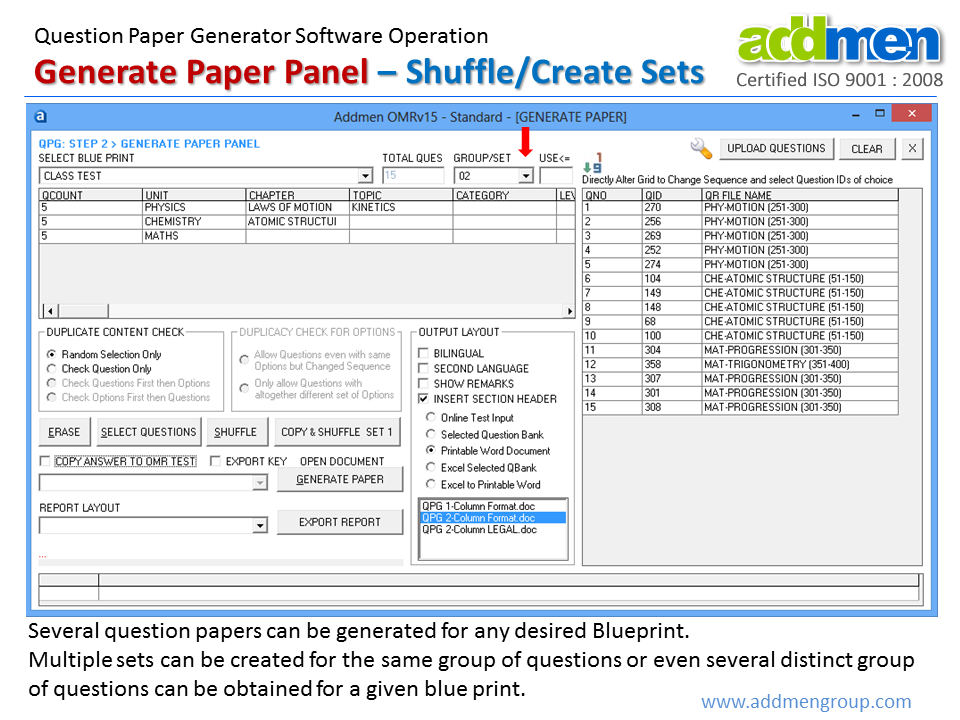
After generating the first paper, you can easily produce additional sets by initiating the shuffle function:
For each additional set, the software reorders the same questions but in a different sequence.
The questions remain the same across sets, but the positions change to create unique versions.
Answer keys are generated in alignment with the shuffled question order.
This process can be repeated to produce as many sets as needed, enabling secure assessments for large groups.
By generating multiple versions of the same paper with questions in different orders, the likelihood of cheating or copying between examinees is significantly reduced.
Manual rearrangement of questions for multiple sets is tedious and error-prone. Shuffling software automates this step — saving time and human effort.
Even though questions are shuffled, the original test blueprint — including topic coverage, difficulty distribution, and total question count — remains intact for each set.
Create a Question Bank: Enter and categorize questions by subjects, topics, level, and type.
Define Blueprint: Set the test structure and desired criteria for paper generation.
Generate First Paper: The software selects questions based on the blueprint.
Shuffle for Multiple Sets: Use the shuffle feature to reorder questions and create additional exam versions.
Export Output: Export each set in Word format along with its answer key.
This software is suitable for:
Schools and colleges conducting mid-term, semester, or annual exams.
Coaching institutes administering mock tests and entrance practice exams.
Exam boards and certification bodies requiring secure test distribution.
Training organizations delivering frequent assessments to learners.
Addmen’s Question Paper Shuffling Software enhances examination integrity by enabling efficient creation of multiple unique test sets using automatic question reordering. By integrating a centralized question bank, blueprint-based selection, and automated shuffling, the software supports secure, scalable, and professional exam preparation.
Introduction & Overview
FAQs on QPG Operation
Operation QPG Software
