- Digital Marking System for CBSE
- +91 9229113533
- +91 9229113566
- info@addmengroup.com
- Send Query
- Available as OEM on GeM

Printing high-quality, error-free documents requires careful adherence to established standards and best practices. This guide provides comprehensive printing guidelines for creating exam sheets, OMR sheets, answer booklets, certificates, reports, and other official documents. It covers file preparation, layout, resolution, color settings, cutting, finishing, and quality checks, ensuring documents are scanner-ready, professionally presented, and consistent in output. Following these guidelines helps institutions, exam centers, and organizations avoid common printing errors and achieve reliable results every time.
Professional printing follows a structured workflow:
Document setup and file creation
Pre-press checks and proofing
Printing (digital/offset/large format)
Finishing (cutting, folding, binding, perforation)
Final quality inspection
Delivery or scanning readiness
Each step must be done correctly to ensure error-free print output.
Proper file setup is the foundation of quality printing.
Use PDF/X-1a or PDF/X-4 for best compatibility with professional printers.
Avoid non-print formats like low-resolution JPEGs or web-optimized PNGs.
Set exact page dimensions as per your print requirement (e.g., A4, A3).
Include a bleed area of 3–5 mm on all sides if your design extends to the edge.
Keep content safe inside margins (5–10 mm from edges) to avoid clipping.
Images must be at 300 dpi minimum at final print size.
Vector graphics should be used for logos and line art where possible.
Embed or outline fonts to avoid substitution during printing.
Avoid very thin or decorative fonts for critical information.
Good design improves readability and reduces printing errors:
Use consistent spacing, alignment, and typography.
Avoid placing critical elements too close to the edge.
Include page numbers and headers/footers where needed.
Keep text and images within the safe zone (away from trim lines).
For multi-page documents, maintain uniform layout style throughout.
Before you send your file to print:
Review your document on screen with 100% zoom.
Verify fonts, alignment, spacing and image clarity.
✔ Correct page size
✔ Bleed and crop marks included
✔ Embedded fonts
✔ High-resolution images
✔ CMYK color mode
✔ Consistent margins
✔ No unintended blank pages
Choosing the right paper affects the look, feel and functionality:
Uncoated paper — matte finish, easy to write on (e.g., exam sheets).
Coated gloss or semi-gloss — ideal for brochures and catalogs.
High GSM stock (90–120 GSM) — recommended for official documents.
Specialty papers for certificates or presentation materials.
Uniform thickness and opacity
Resistance to bleed-through ink
Scanner compatibility (for machine-read documents)
Best for small to medium runs
Fast turnaround
No plate setup costs
Excellent for large volume jobs
Precise color consistency
Lower cost per piece at scale
For banners, posters, signage
Requires RIP software and specific color profiles
Use precision cutters to maintain accurate dimensions
Ensure mockups include cutting guides and margins
Use crease lines for booklets or multi-panel documents
Check fold orientation before production
For tickets, coupons, or detachable sections
Ensure perforation does not interfere with content
If your printed output must be scanned (e.g., OMR sheets, answer sheets):
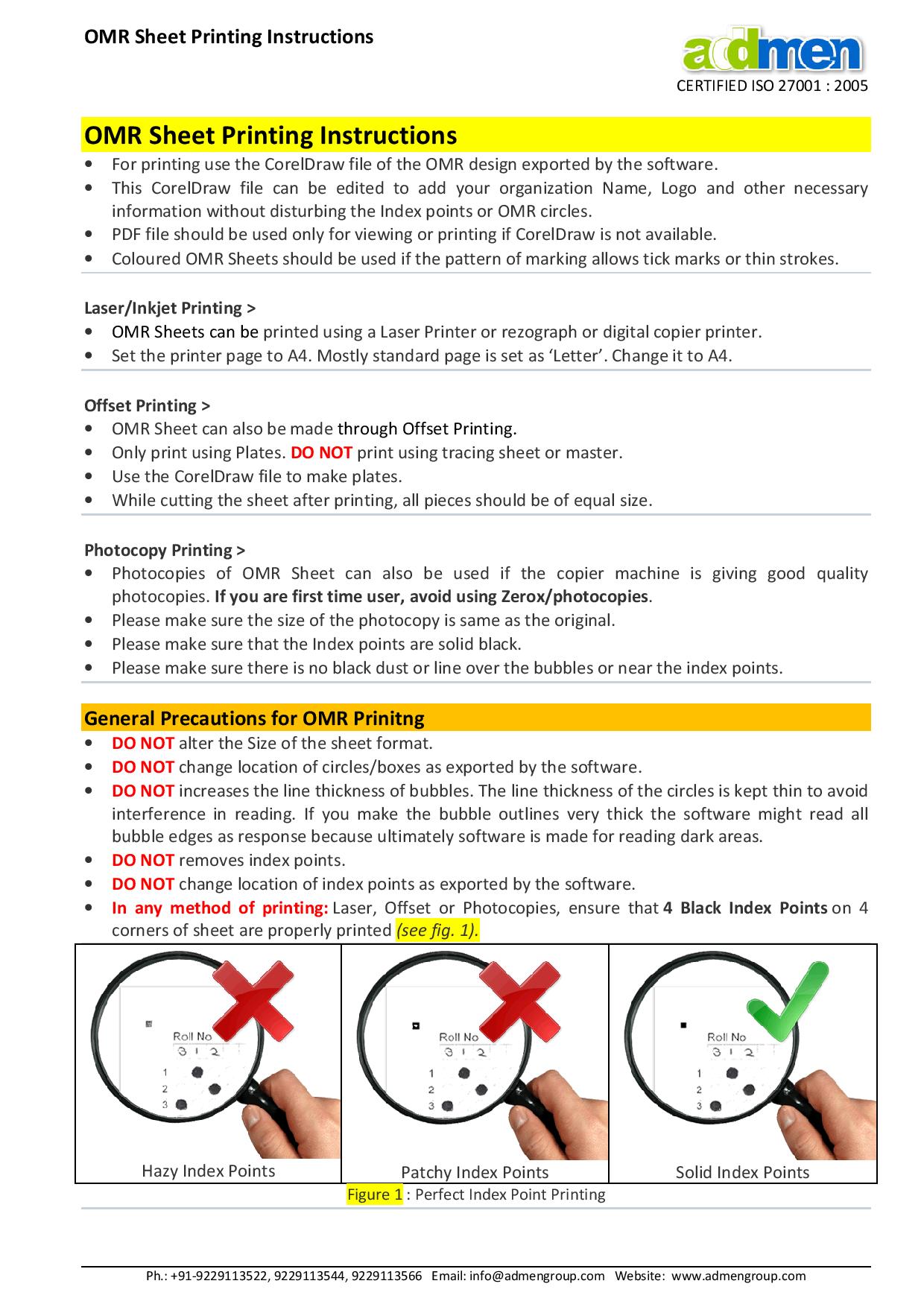
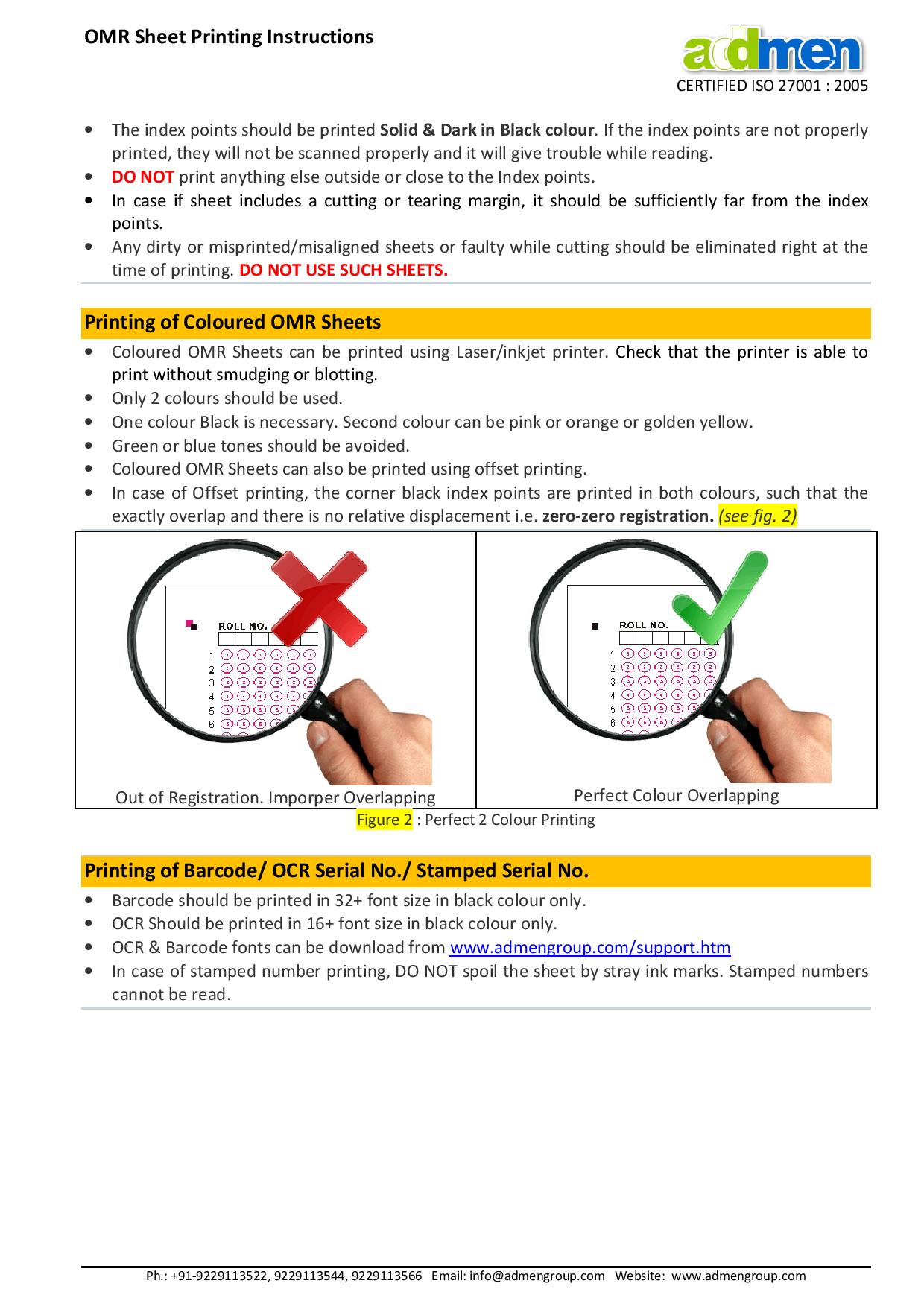
Include scanner registration marks at edges
Bubbles must be evenly spaced and clear
After printing and finishing:
Check random sheets for color consistency
Verify crop and bleed accuracy
Inspect font clarity and spacing
Confirm binding, cutting, and perforation precision
| Problem | Cause | Solution |
| Blurry text | Low dpi or missing font | Use 300 dpi & embed fonts |
| Color shifts | RGB to CMYK conversion issues | Always work in CMYK |
| Cut content | Text too close to edge | Maintain safe margins |
| Scanner misreads | Poor contrast or alignment | Improve print contrast and registration marks |
| Paper jams | Wrong paper thickness | Use recommended GSM paper |
Store finished prints in flat, dry place
Use protective covers for delivery
Avoid stacking under heavy weight
Label batches clearly for distribution
✔ File formatted in PDF/X standard
✔ CMYK and 300 dpi images
✔ Embedded fonts
✔ Bleed and crop marks set
✔ Margins respected
✔ Proof reviewed (soft + hard)
✔ Paper type finalized
✔ Printing method selected
✔ Finishing planned
✔ Quality check before distribution